
Step 18)
Click on “Solved” to open your solved ticket.
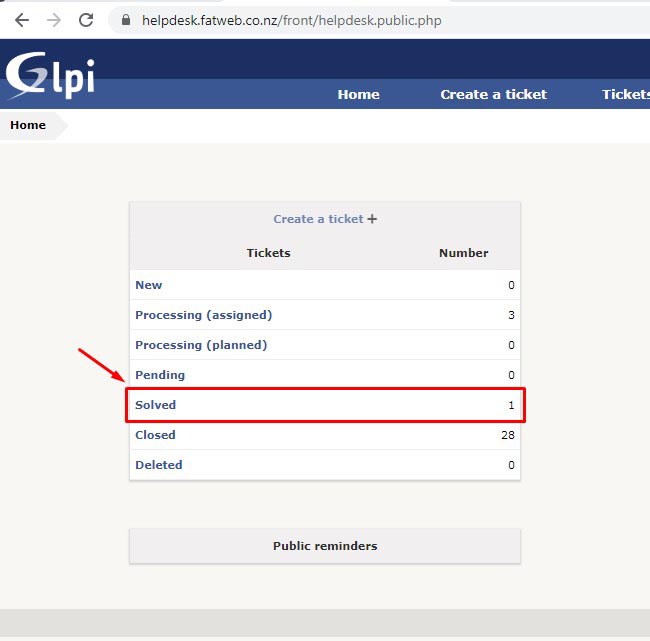
Click on “Solved” to open your solved ticket.
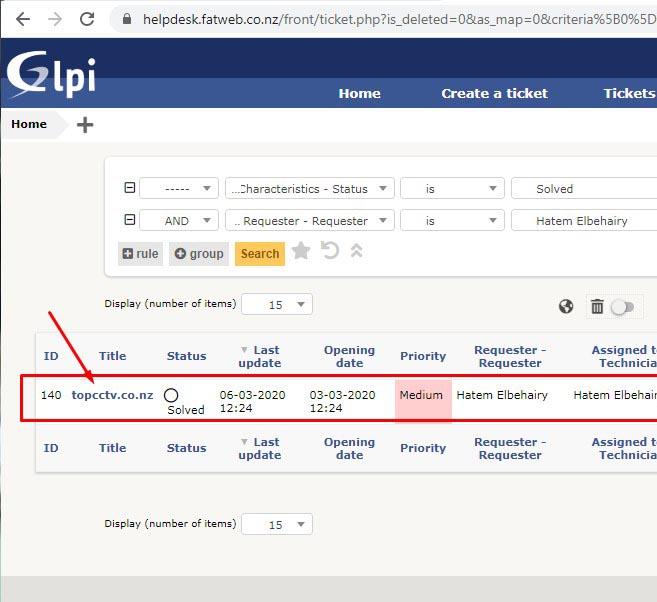
Click on the Solved ticket to open it.
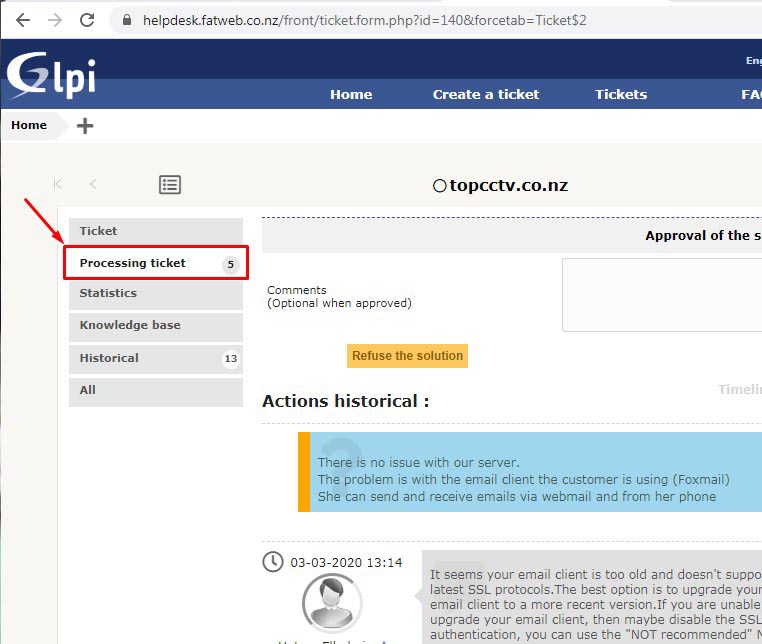
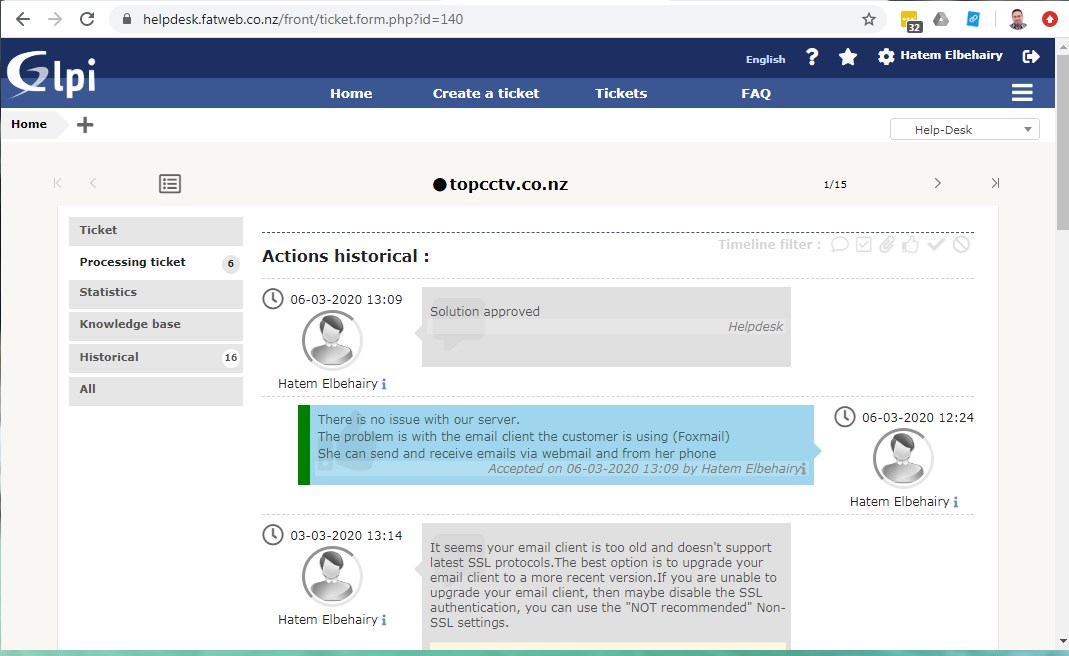
Click on “Processing ticket” to open the followups.
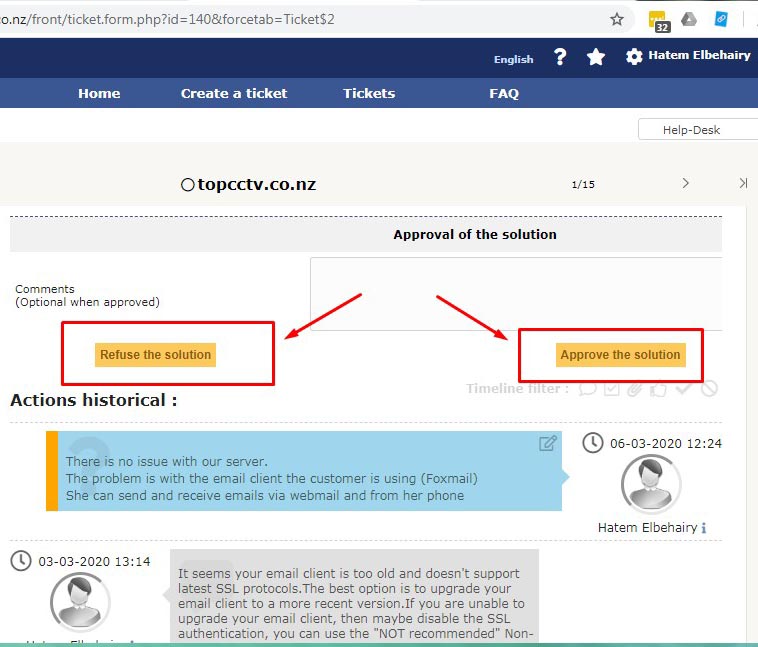
Read the solution (the one in blue) and either “Approve” it or “Refuse” it.
The ticket will now appear as solved.